


VIZIO | WatchFree+
4.238.68K Reviews
App Specs
- Version
- 5.3.1.rc-2.20260818.22.release
- Updated On
- License
- Free
- Downloads
- 10,000,000+
- Developer
- VIZIO
- Categories
- Entertainment
- Platform
- Android, iOS
Screenshots
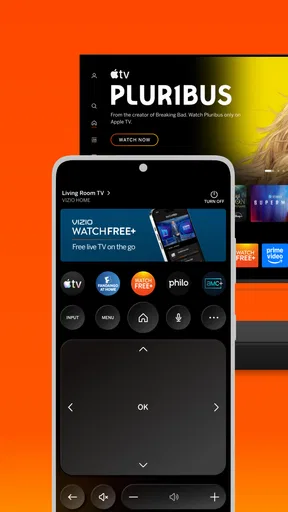
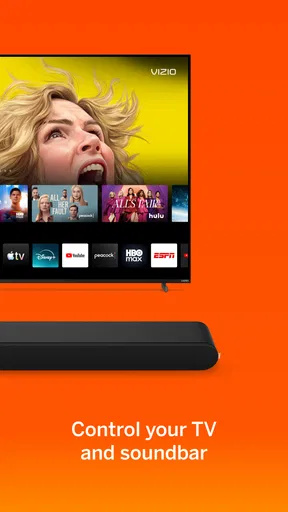
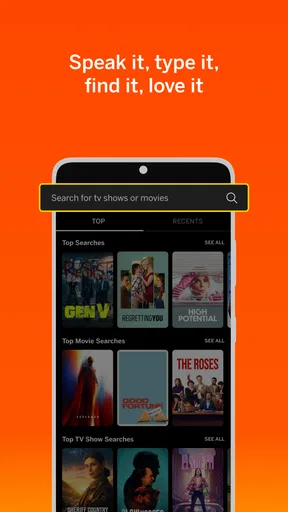
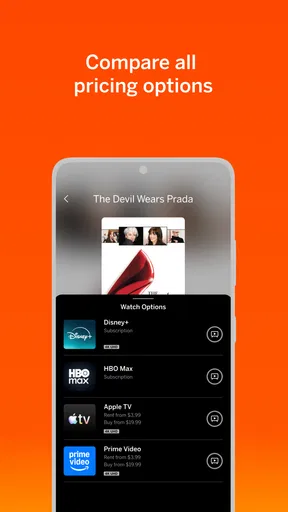
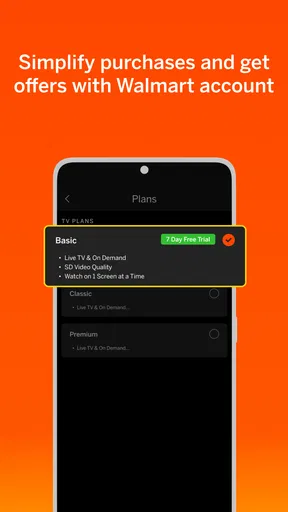
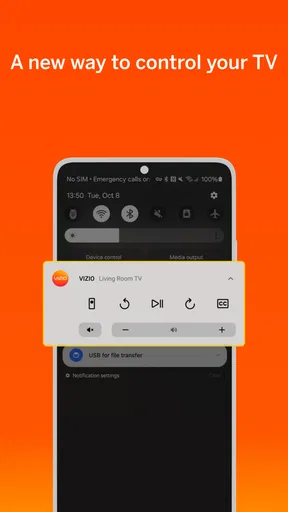
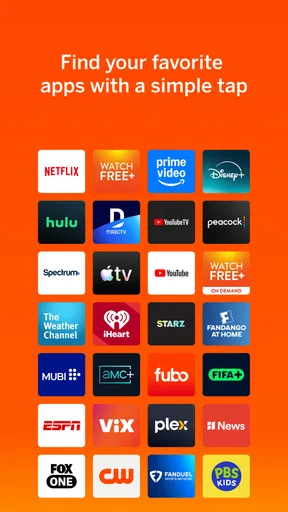
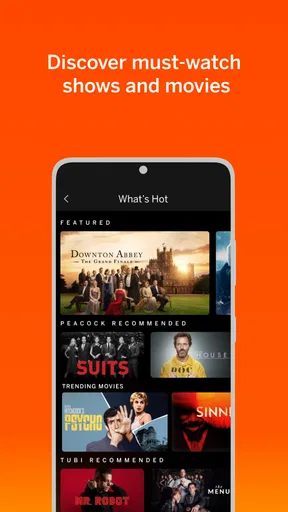
 Analysis by AppCompare
I tend to judge a TV app by what happens in the first few minutes: can I find something worth watching without building a new subscription routine or spending ages browsing? VIZIO | WatchFree+ is aimed at that kind of low-effort viewing. It is a free entertainment app from VIZIO, bringing live channels and on-demand options together for people who want a quick alternative to opening several paid services. I find the idea most appealing when I want something on in the background or feel like browsing rather than choosing a specific show.
What “free” changes about the experience
There is no subscription charge to start watching, which makes the app an easy extra rather than a replacement I would expect to carry my whole TV routine. Its channel-based approach is useful when I want the familiar feeling of turning on television and seeing what is already playing. On-demand viewing serves a different mood: I can look for a title or browse instead of joining a program midway through.
The trade-off is that free viewing is not the same as having every series or film I might expect from a paid streaming library. I would treat this as a source of casual entertainment, not assume it will have a particular title waiting for me. If I already know exactly what I want to watch, checking the services I normally use may be more direct. If I just want to fill a spare half-hour, channel surfing can be the better fit.
Finding something without turning it into a project
My practical tip is to decide whether I am in a “browse” mood or a “find this title” mood before I open the app. For the first, I would start with the live channels and let the schedule make the choice; for the second, I would use search or the on-demand area rather than scrolling through categories at random. That small distinction keeps discovery from becoming the whole evening.
The app’s entertainment-discovery role is particularly useful in a shared living room. One person can put on a live channel while others settle in, rather than negotiating over a long list of individual subscriptions. It can also work as a low-commitment option for guests: there is no need to explain which paid account to use before putting something on. Still, people who want tightly curated recommendations or a complete season available on demand may prefer a dedicated subscription service.
Where it fits beside other viewing options
Compared with paid streaming apps, WatchFree+ is strongest when cost and immediacy matter more than control over the catalog. Subscription services usually make more sense for viewers who follow particular originals, want to resume a chosen series, or expect a specific film to be available. Compared with a standard live-TV package, this app offers a no-subscription way to browse channels, though I would not treat it as a like-for-like replacement for every channel or program in a household’s existing setup.
That makes it a sensible companion rather than a universal answer. I would keep it in the mix for casual discovery, then switch to another service when I have a specific show in mind. It is also worth remembering that “free” does not remove the practical requirement for a usable internet connection; if the connection is weak or shared heavily, any online viewing can become less pleasant.
Worth Reading Before You Choose

EA SPORTS FC Mobile 26 Is a Bigger Football Game, but It Takes Time

Flipboard Shows What News Apps Must Do Beyond the Feed

Switching to Android Auto Means Rethinking Your Driving Routine

Google Calendar Makes a Crowded Week Easier to Manage

Ludo King Makes the Most of the Minutes Between Plans

Baby Panda World Brings Quick Play to Modern Phones, but Its Game Library Feels Busy
VIZIO’s app has a 4.4 average from around 86,000 ratings and more than 10 million installs. Those figures suggest plenty of people have tried it, but they do not tell me whether it matches an individual viewer’s habits. I would decide based on whether live browsing and free on-demand choices fit the way I actually watch TV.
Endless Entertainment Awaits
Okay, so here’s the deal. VIZIO | WatchFree+ offers a massive selection of live and on-demand content, all for free. Yes, you heard that right—free! You’ll find channels covering everything from news and sports to lifestyle and movies. It's like cable TV, but without the hefty price tag.
What’s really cool is the variety. I mean, where else can you switch from a gripping crime drama to a laugh-out-loud comedy, and then finish off with a classic movie, all in one app? Trust me, with over 100 channels, there’s something for everyone in the family. And the best part? No subscription required. Just download and start watching.
Easy to Use, Even Easier to Love
Now, you might be wondering about the user interface. I get it, a cluttered app can be a deal-breaker. But fear not! VIZIO | WatchFree+ keeps it simple and intuitive. The layout is clean, making it super easy to find what you’re looking for. You can browse by category, search for specific titles, or even check out what’s trending. It's all about making your viewing experience as smooth as possible.
And if you’re already using a VIZIO Smart TV, this app integrates seamlessly, giving you that added convenience of flipping through channels just like you would with traditional TV. It’s almost like they read our minds!
Speed, picture quality, and the internet connection
For everyday use, I would set my expectations around a simple distinction: browsing and playback are different parts of the experience. A menu can feel responsive while a stream still depends on the connection available at that moment. I would not judge the app by one brief pause during a busy evening; I would first check whether other video services are also struggling on the same network. That is a useful way to tell whether the problem is likely the connection or this particular viewing session.
When I want to avoid spending time deciding, I would open a live channel and keep a short list of categories or searches I know I enjoy for later. This is more practical than repeatedly jumping between live programming and on-demand browsing without a destination. It also makes the app easier to use on a phone, where long browsing sessions are less comfortable than settling on a channel or title and watching.
In a realistic weeknight scenario, I might finish dinner, open the app, and put on a news or lifestyle channel while tidying up. If something catches my attention, I can stay with it; if not, I can move on without worrying that I have started a paid rental or committed to a new service. For a planned movie night, I would browse first and confirm there is something suitable before gathering everyone around the screen. That small check avoids making the app carry expectations it cannot guarantee for a particular title.
Heavy-use moments and practical trade-offs
The moments most likely to test a streaming app are the ones when several people are using the home connection, when I am moving between networks, or when I am watching live programming and do not want interruptions. I would avoid assuming that a phone stream will remain equally smooth while travelling or on a congested connection. If playback falters, I would pause other heavy internet use where possible, check the connection, and reopen the stream before concluding the app itself is unreliable.
For a longer viewing session, the main convenience is having live channels and on-demand browsing in one place; the compromise is less control than a service built around a specific series library. I would use live channels for relaxed, lean-back viewing and switch to another app for a season I am following closely. That is not a flaw so much as a difference in purpose, but it matters if you are trying to reduce the number of apps you use.
Another useful habit is to treat search as a shortcut, not as a promise that every title will be available. If I have a specific program in mind, I would search before settling in. If it is not there, I can move to another service early instead of repeatedly refreshing categories. For open-ended viewing, browsing works better because the app’s value is in surfacing options, not necessarily in satisfying a precise watchlist.
Reliability and the role of the VIZIO TV connection
On a VIZIO Smart TV, the integrated experience can make channel browsing feel closer to ordinary television than opening a separate streaming device or app. That is a meaningful advantage for someone who already watches on a VIZIO set and wants fewer steps between turning on the screen and finding something. On a phone, the app is more of a portable viewing option; I would not expect the same large-screen comfort or living-room channel-flipping feel.
If a session stops or the app takes longer than expected to respond, I would try the ordinary recovery steps first: return to the menu, choose the channel or title again, and check whether the internet connection is stable. I would also keep the app updated when a newer version is available. The current version is 4.11.0.rc-2.20251205.01.release, and the app supports Android 10 or later. Those requirements make checking the device’s operating system a sensible first step before troubleshooting installation or performance.
For households sharing a television, one practical limitation is that a channel-based service may not match everyone’s idea of “watching together.” It can quickly provide something to put on, but a family wanting a carefully chosen film, a particular episode, or a consistent set of children’s programs should check availability and suitability first. The content rating is Teen, so I would not assume every option is appropriate for younger viewers just because it is free or easy to access.
Who will get the most from it
I would recommend WatchFree+ to someone who likes channel surfing, wants an additional no-subscription viewing option, or often turns on the TV without a specific title in mind. It is also a reasonable app to try if the goal is to discover something casually rather than maintain another monthly bill. VIZIO has 36,000 reviews, and the app is free, but neither popularity nor cost alone makes it the right match; the deciding question is whether its mix of live browsing and on-demand choice suits your habits.
I would skip it as a primary service if I mainly watch carefully selected series, expect a particular catalog to be complete, or want the same viewing experience regardless of internet conditions. Someone who mostly watches on the move may also prefer a service designed around a personal watchlist and planned downloads, rather than relying on a live-channel experience. For viewers who want both approaches, keeping WatchFree+ alongside a paid service can make more sense than asking either one to do everything.
Quality Streaming, No Strings Attached
Streaming quality is a biggie for me, and I’m happy to report that VIZIO | WatchFree+ delivers. Whether you’re watching a live sports event or a late-night movie, the picture quality is top-notch. Of course, this depends on your internet connection, but if you’ve got a solid setup, you’re in for a treat.
Plus, the app runs smoothly on both Android and iOS devices. So, whether you’re lounging on the couch or on the go, you won’t miss out on any of the action. It’s flexibility at its finest!
Final Thoughts
In a world where streaming services are a dime a dozen, VIZIO | WatchFree+ stands out by offering a robust library of content for absolutely no cost. It's perfect for those who want to cut the cord but still enjoy a wide range of programming. The ease of use and high-quality streaming make it a no-brainer for anyone looking to elevate their viewing experience without adding to their monthly bills.
So, go ahead and give it a whirl. Who knows? You might just find your new favorite show. Happy streaming!
Pros
- Extensive library of free channels.
- User-friendly interface simplifies navigation.
- No subscription or hidden fees.
- High-quality streaming with minimal buffering.
- Regular content updates keep it fresh.
Cons
- Limited on-demand viewing options.
- Contains ads that may interrupt viewing.
- Not available on all smart TV brands.
- Lacks advanced search features.
- Requires stable internet for best performance.
FAQs for VIZIO | WatchFree+
What is VIZIO | WatchFree+?
VIZIO | WatchFree+ is a free streaming service available on VIZIO Smart TVs, offering access to a wide variety of live channels and on-demand content. Users can enjoy movies, TV shows, news, and sports without any subscription fees or login requirements. It's an ad-supported platform, providing a seamless viewing experience.
Do I need a subscription to use VIZIO | WatchFree+?
No, you don't need a subscription to use VIZIO | WatchFree+. The service is completely free and ad-supported, meaning you can enjoy a wide array of content without any costs. Simply turn on your VIZIO Smart TV, navigate to the WatchFree+ app, and start watching immediately.
Is VIZIO | WatchFree+ available on devices other than VIZIO Smart TVs?
Currently, VIZIO | WatchFree+ is primarily available on VIZIO Smart TVs. The app is designed to work seamlessly with VIZIO's interface, providing an integrated viewing experience. For other devices, checking VIZIO's official site or app store may provide updates on availability.
What type of content can I expect to find on VIZIO | WatchFree+?
VIZIO | WatchFree+ offers a diverse range of content including live TV channels, movies, TV series, news, and sports. The service continually updates its library, ensuring a fresh selection of entertainment options. With no need for subscriptions, it's a great way to explore various genres and channels.
Are there any ads on VIZIO | WatchFree+?
Yes, VIZIO | WatchFree+ is an ad-supported platform. This means you will encounter advertisements during your viewing experience, similar to traditional TV. The presence of ads allows the service to remain free for users, providing access to a wide variety of content without subscription fees.


